We rebuilt the look of the Curbswap app from the ground up. Curbswap 1.0.19 keeps every feature you already use — street-sweeping rules, sweep alarms, scheduled moves, the SwapBox™ — and puts the things that matter most right where you look first. Update the app and you'll see it the moment it opens.
Home is now "today"
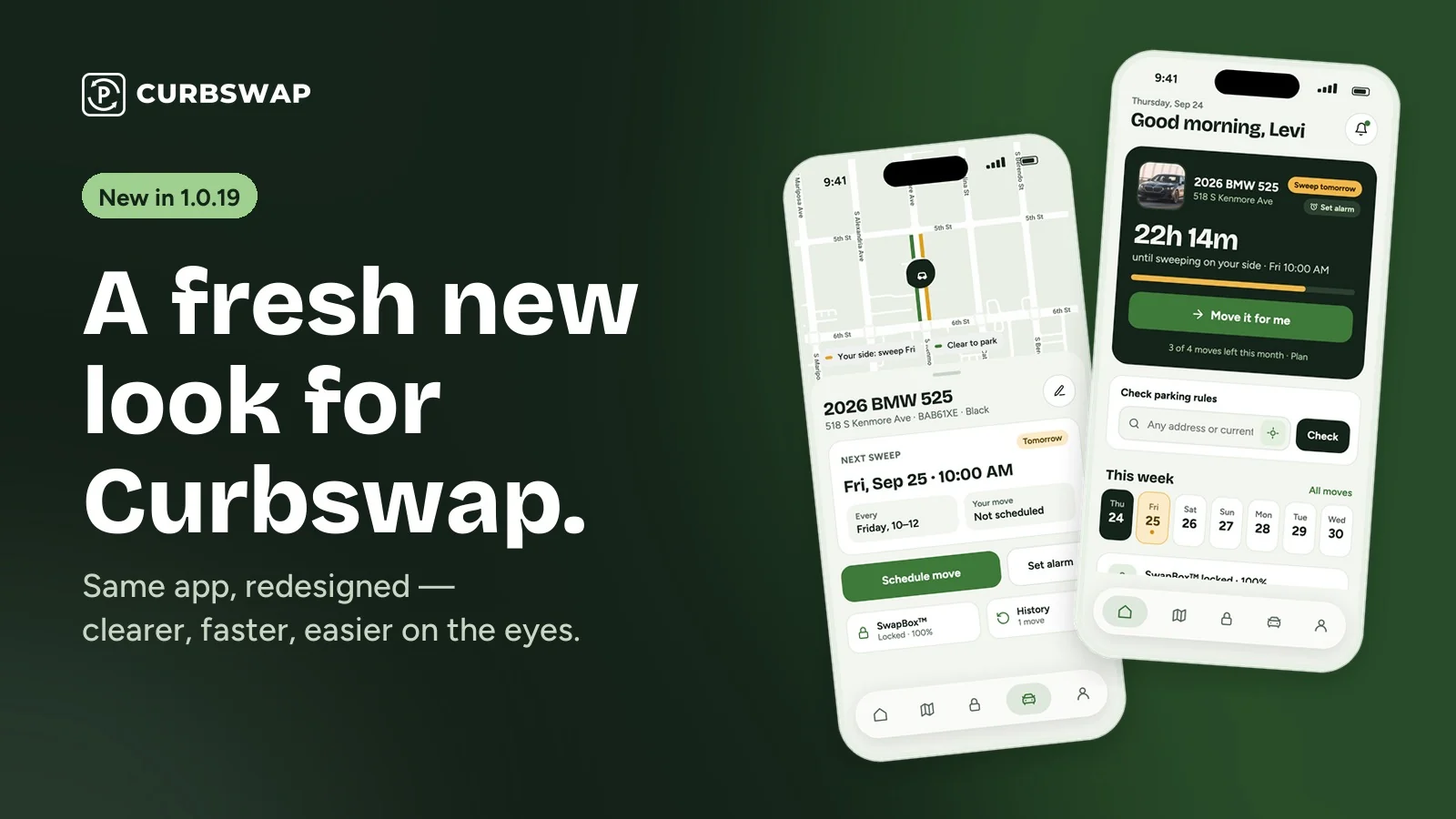
The new Home screen answers one question: is my car safe, and what do I need to do? Your car sits at the top in a dark card with a live countdown to the next sweep on your side of the street, a quick Set alarm button, and — if you have a plan — Move it for me, which schedules a move in one tap. Below it: a parking-rules checker for any address or your current spot, your week at a glance with sweep days highlighted, your SwapBox™, your last move, and news and guides.
Your car, on a real map
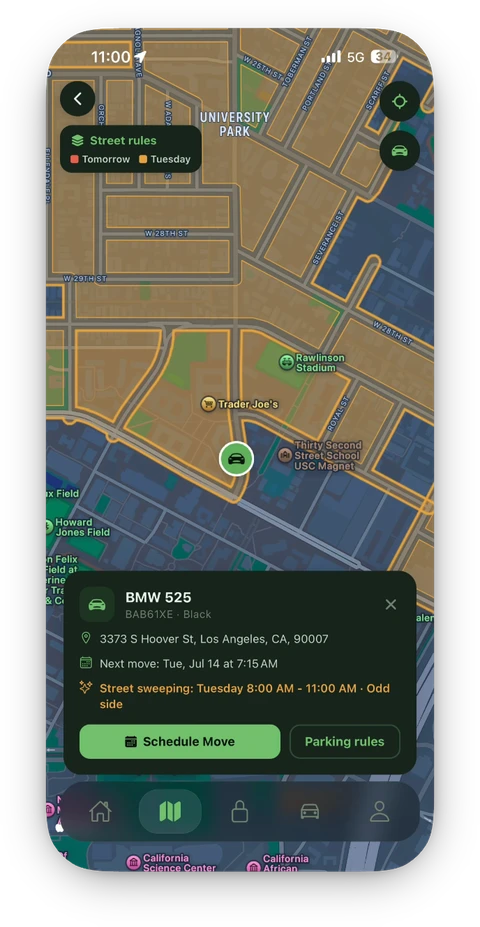
Tap into your car and you get the street map with your spot, which side sweeps and when, and your next sweep date and time in big, easy-to-read type. Schedule a move or set an alarm right from there.
Scheduling that tells you exactly when
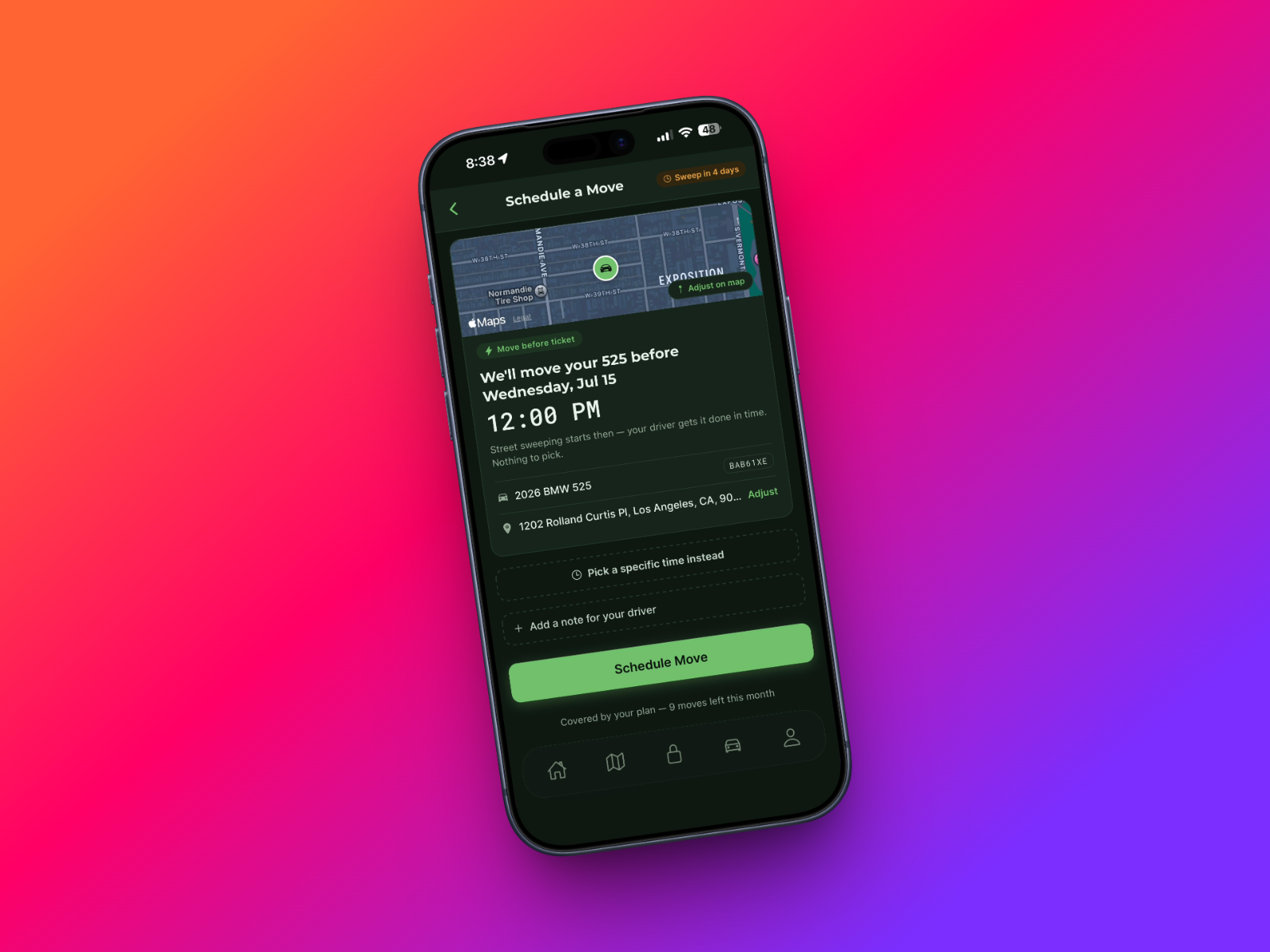
When you schedule, the app shows the one thing you need to know — "We'll move your car before Friday · 10:00 AM" — along with your pickup spot and your paired SwapBox™. Confirm, and you're done.
Follow every move live
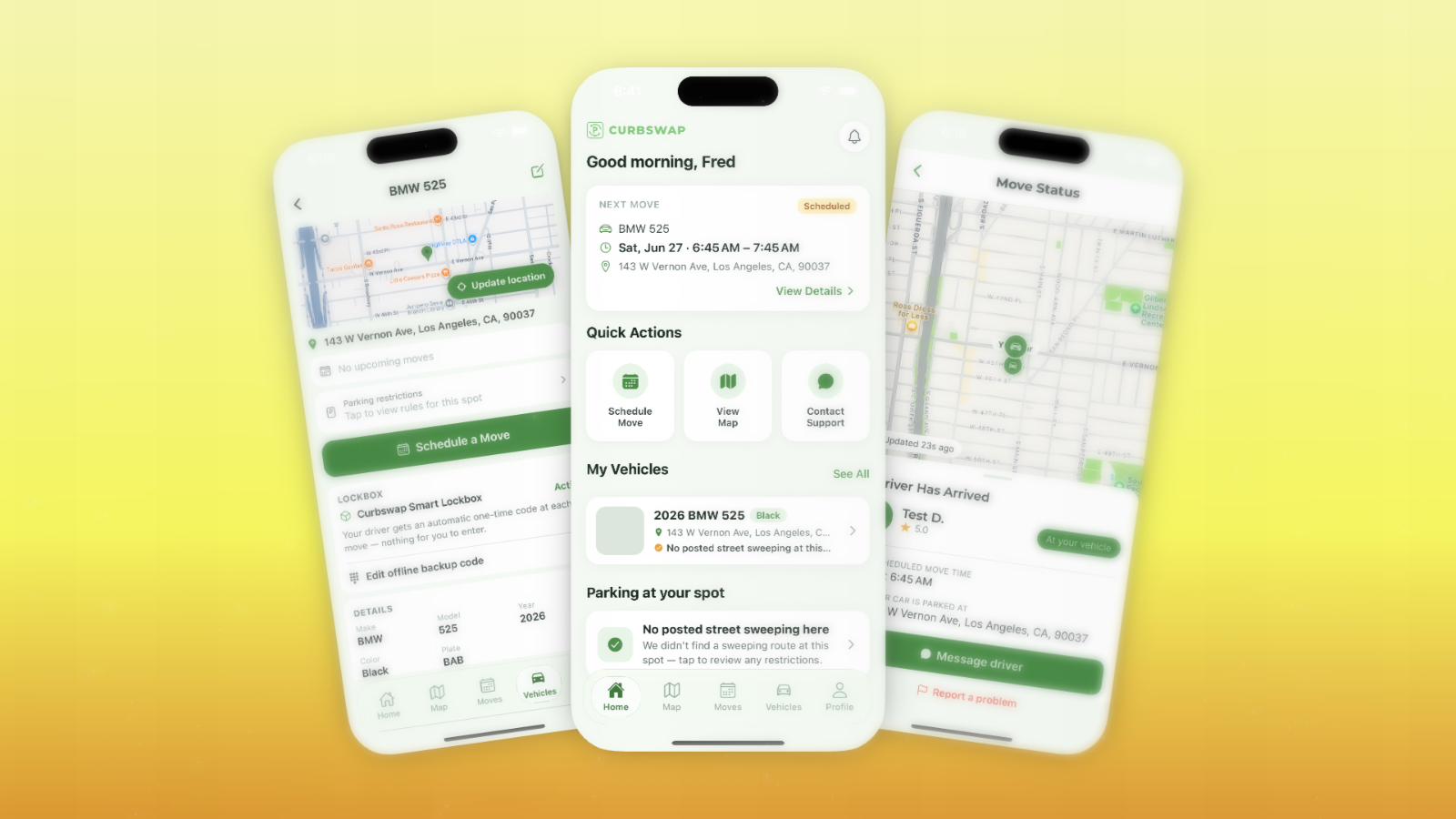
The move screen now shows a simple progress bar — Assigned → On the way → Moving → Parked — with the map, your driver, and a message button. When your car is parked, you'll see the new spot with before-and-after photos and GPS, and you can rate your driver.
SwapBox™, plans, and everything else
- SwapBox™: one big lock/unlock button, with battery, PIN codes, and where it's mounted right below.
- Plans: Free, Basic, Standard, and Premium side by side, with one button to start or switch.
- Parking rules: "Can I park here?" with the rules for your side of the street, plus CurbScout to snap a sign that says something different.
- Dark mode across the whole app.
- New type and colors: clearer headlines, bigger numbers for times and countdowns, and a calmer green palette.
A new app for our drivers, too
Curbswap drivers get the same treatment: jobs sorted by sweep time with the pay shown up front, one screen that walks through each move step by step, a guided camera for before-and-after photos, and earnings with automatic payouts. Drive with Curbswap →
Get the update
Open the App Store and update Curbswap to 1.0.19. New to Curbswap? Download the app and check your street's sweeping rules for free.